Set Up Claude Code, Codex, and Gemini CLI
A practical setup for Claude Code, Codex, and Gemini CLI: install paths, auth, and the first repo conventions that keep three coding agents from colliding.
Last updated: 2026-03-31 · Tested against Claude Code 1.x, GitHub Copilot CLI (GA Feb 2026), Gemini CLI 0.1.x
Three months into running Claude Code full-time across production codebases, the biggest unlock had nothing to do with model quality. It was the config file.
The moment I started treating the agent's instruction file as a first-class project artifact, the quality of the work jumped. The agent stopped doing dumb things I'd already told it about. It knew the folder structure, the banned patterns, the deploy process. It worked the way I actually wanted it to work.
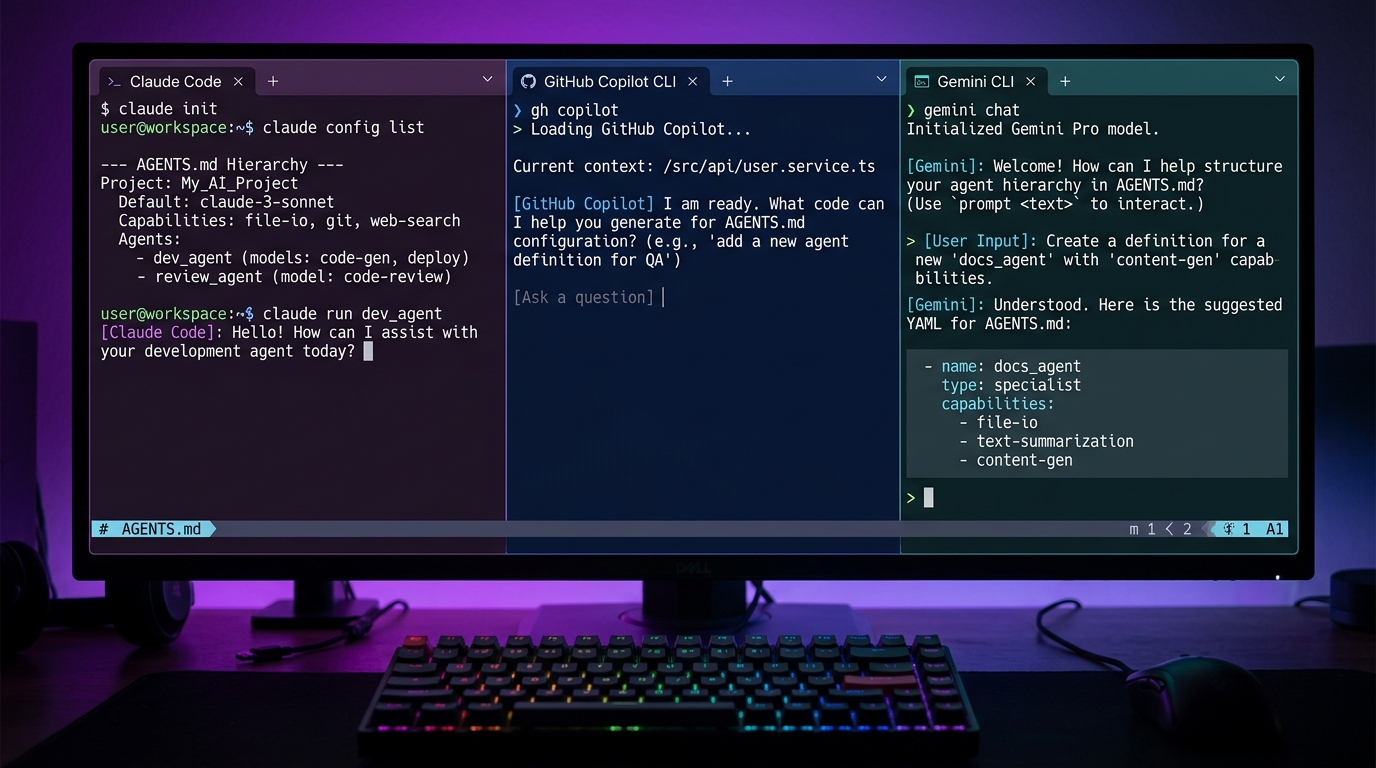
Claude Code, GitHub Copilot, and Gemini CLI all support persistent instruction files. Most developers skip them or write three lines and call it done. Here's how to actually set them up, what goes in them, and how to structure a repo so your agent can navigate it without hand-holding.
There's also AGENTS.md, a single file all three tools read, so you write the rules once.
What Makes Agentic Coding Different From Autocomplete?
Autocomplete predicts the next token. An agent makes decisions.
When you ask Copilot to autocomplete a function, it generates based on what's in the current file. When you ask an agent to fix a bug, it reads multiple files, runs tests, checks git history, and writes code. The scope is completely different.
So the agent needs context that autocomplete never needed. Where things live, what patterns the codebase uses, what it's allowed to touch. Without that context, agents guess. With it, they work.
Claude Code
Installation
npm install -g @anthropic-ai/claude-codeClaude Code requires Node 18+ and an Anthropic API key. Set the key in your environment:
export ANTHROPIC_API_KEY=sk-ant-...Run claude from any project directory to start a session. First time takes 30 seconds to initialise.
The CLAUDE.md File
Claude Code reads this at the start of every session. Place it at the project root. Every spawned sub-agent inherits it, so whatever you write here applies to the full agent tree.
your-project/├── CLAUDE.md # Agent instructions├── .claude/│ ├── settings.json # Tool permissions, model settings│ └── skills/ # Custom slash commands├── src/└── ...A thin CLAUDE.md gets you almost nothing. Here's what belongs in it:
Project identity: one sentence on what the thing does and who it's for. The agent uses this to calibrate how conservative it should be.
Folder structure: a short annotated file tree. Not exhaustive, just enough that the agent knows where to look.
Coding conventions: patterns the codebase uses. TypeScript strict mode, no default exports, tests co-located with source. Whatever you've established.
Off-limits zones: files or directories the agent should never touch. dist/, build artifacts, migration files, anything with customer data.
Commands: how to run tests, how to build, how to deploy. The agent will run these. Get them right.
Banned patterns: things you don't want introduced. Global state, direct DOM manipulation, synchronous I/O in async contexts. Write them down.
Here's a minimal example:
# MyAppFastAPI backend with a React frontend. Deployed on a single VPS via Docker Compose.## Structuresrc/ api/ # FastAPI routes services/ # Business logic (no DB calls here) models/ # SQLAlchemy models tests/ # Co-located with sourcefrontend/ src/ components/ # Reusable UI only pages/ # Route-level components## Stack- Python 3.12, FastAPI, SQLAlchemy 2.x- React 19, TypeScript strict mode, no default exports- PostgreSQL (never raw SQL - use the ORM)## Commands- Test: `pytest src/`- Lint: `ruff check .`- Build: `docker compose build`## Never Touch- `alembic/versions/` - migration files are sacred- `dist/` - compiled output, not source- `.env` - read it, never write itSpecific, direct, no filler. The agent reads it at session start and operates within those rules.
I learned this by getting it wrong first. My early CLAUDE.md for ZeroLabs was 12 lines of vague intent ("be careful with the database", "don't break production"). The agent treated that as permission to be cautious about whatever it felt like. It took an afternoon of undoing agent decisions before I sat down and wrote explicit off-limits zones.
Slash Commands
Slash commands are markdown files for repeatable tasks. Drop them in .claude/skills/:
.claude/└── skills/ ├── deploy.md # /deploy ├── test.md # /test └── review.md # /reviewType /deploy in a session and it runs the instructions in deploy.md. Good for anything you'd otherwise explain every time: deploy workflow, PR checklist, the 14-step dance before merging.
Tool Permissions and Settings
.claude/settings.json controls what tools the agent is allowed to run. A baseline:
{ "permissions": { "allow": [ "Bash(npm test)", "Bash(npm run lint)", "Bash(docker compose build)", "Read", "Write", "Edit" ], "deny": [ "Bash(rm -rf*)", "Bash(git push --force*)" ] }}Without this, Claude Code asks permission on anything it's uncertain about. Explicit allows and denies save the back-and-forth.
MCP Servers
Claude Code supports MCP (Model Context Protocol), connecting to external tools as context sources: databases, APIs, custom services.
{ "mcpServers": { "postgres": { "command": "npx", "args": ["-y", "@modelcontextprotocol/server-postgres", "postgresql://localhost/myapp"] } }}Wire this into .claude/settings.json and the agent gets direct read access to your database: schema info, read-only queries, code generation informed by real data. If you're running agents against a self-hosted stack, the VPS infrastructure guides cover how to expose services securely for MCP access.
GitHub Copilot Coding Agent
The Two Modes
Copilot ships in two configurations:
Copilot CLI: interactive terminal agent, similar to Claude Code. Reached GA in February 2026. Run gh copilot after installing the GitHub CLI extension.
Copilot Coding Agent: async background agent on GitHub.com. Assign an issue and it opens a PR. Built for mid-sized, well-scoped tasks you don't need to babysit.
Both read the same instruction files.
The copilot-instructions.md File
Place this at .github/copilot-instructions.md. VS Code picks it up automatically. The coding agent on GitHub reads it for every issue it processes.
your-project/├── .github/│ ├── copilot-instructions.md # Global instructions for all Copilot modes│ └── agents/ # Optional: custom agent profiles│ └── backend-agent.md├── src/└── ...Plain markdown. Same content as CLAUDE.md: project context, folder structure, conventions, off-limits zones, commands.
One difference: you can create per-directory instruction files with the .instructions.md extension. Put frontend.instructions.md in frontend/ and Copilot applies those rules whenever it touches that subtree.
frontend/├── frontend.instructions.md # Rules specific to frontend work└── src/ └── ...Useful when your frontend and backend have different conventions.
The .github/agents/ Directory
Custom agent profiles live in .github/agents/. Each markdown file specialises the agent for a type of work:
# Backend AgentFocus on the FastAPI backend only. Never touch the frontend directory.Run `pytest src/api/` to validate changes. Follow the service layer patternin src/services/. All database access goes through the ORM in src/models/.Reference the profile with --profile backend-agent when starting a CLI session.
Gemini CLI
Installation
npm install -g @google/gemini-cliGemini CLI authenticates with your Google account by default: 60 requests per minute, 1,000 per day free. For higher limits, point it at a Google AI Studio API key.
export GEMINI_API_KEY=your-key-hereRun gemini from your project directory to start a session.
The GEMINI.md File
Gemini CLI reads GEMINI.md from the current directory upward, like .gitignore: every GEMINI.md between the working directory and repo root gets merged in order.
your-project/├── GEMINI.md # Root-level rules for the whole project├── backend/│ └── GEMINI.md # Backend-specific overrides└── frontend/ └── GEMINI.md # Frontend-specific overridesThe /memory command adds content to the active session context. Use it for runtime context that doesn't belong in a permanent file.
settings.json
Gemini CLI's settings file lives at ~/.gemini/settings.json globally. Per-project settings can sit at the project root.
{ "theme": "Default", "model": "gemini-2.5-pro", "contextFileName": "AGENTS.md"}That last line matters. It tells Gemini CLI to read AGENTS.md instead of GEMINI.md.
MCP Support
Gemini CLI supports MCP servers in ~/.gemini/settings.json:
{ "mcpServers": { "filesystem": { "command": "npx", "args": ["-y", "@modelcontextprotocol/server-filesystem", "/path/to/project"] } }}How Do You Keep Agent Config Files in Sync?
Three separate instruction files that mostly say the same thing. You update one, forget the other two, and your agents operate on stale rules.
AGENTS.md fixes this.
AGENTS.md is a cross-tool standard backed by the Agentic AI Foundation (AAIF), hosted under the Linux Foundation. Copilot, Gemini CLI, Cursor, Windsurf, and Aider read it natively. Claude Code reads AGENTS.md as a fallback when no CLAUDE.md is present, which is why the layout below keeps a thin CLAUDE.md that references AGENTS.md. Write the shared rules once; each tool picks them up through its own path.
your-project/├── AGENTS.md # Source of truth for all agents├── CLAUDE.md # Claude-specific extensions├── .github/│ └── copilot-instructions.md # Copilot-specific extensions├── GEMINI.md # Gemini-specific extensions (or skip if using contextFileName)└── ...The config hierarchy looks like this:
%% File: diagram - config file hierarchy
graph TD
    A[AGENTS.md<br />Source of truth] --> B[CLAUDE.md<br />Claude Code]
    A --> C[.github/copilot-instructions.md<br />GitHub Copilot]
    A --> D[GEMINI.md<br />Gemini CLI]
    B --> E[Claude Code session]
    C --> F[Copilot CLI / Coding Agent]
    D --> G[Gemini CLI session]
Tool-specific files extend AGENTS.md. They don't duplicate it.
We hit the sync problem on ZeroLabs before we had this pattern. CLAUDE.md said one thing about deploy commands, copilot-instructions.md said something slightly different, and Gemini was operating on a third version that hadn't been touched in six weeks. Every agent was working from a different mental model of the same codebase. The thin-wrapper approach killed that entire class of problem in one afternoon.
CLAUDE.md with AGENTS.md:
# MyAppSee AGENTS.md for project rules, structure, and conventions.## Claude-specific- Use TodoWrite to plan multi-step tasks before executing- Prefer Edit over Write for existing files- Run `python3 .claude/skills/zero-publish/scripts/validate_draft.py` before marking writing tasks completecopilot-instructions.md with AGENTS.md:
# MyAppSee AGENTS.md for project rules, structure, and conventions.## Copilot-specific- For async background tasks, always open a draft PR before starting work- Run the full test suite before marking a coding-agent task completeGemini CLI: just use contextFileName
{ "contextFileName": "AGENTS.md"}Gemini CLI reads AGENTS.md directly. No separate file needed.
Folder Structure Template
A production-ready structure that works across all three tools:
your-project/│├── AGENTS.md # Cross-tool instructions (source of truth)├── CLAUDE.md # Claude-specific config (references AGENTS.md)│├── .claude/│ ├── settings.json # Tool permissions, MCP servers│ └── skills/ # Slash commands│ ├── deploy.md # /deploy│ └── test.md # /test│├── .github/│ ├── copilot-instructions.md # Copilot-specific config (references AGENTS.md)│ └── agents/ # Custom Copilot agent profiles│ └── backend.md│├── src/ # Your source code├── tests/ # Test suite├── docs/ # Documentation│ └── architecture.md # Include this in AGENTS.md references│└── .gemini/ └── settings.json # Gemini CLI project settingsThis works whether you're using one agent or all three. AGENTS.md is the spine. Everything else is a wrapper.
What Should Go in Your AGENTS.md File?
The file does four jobs:
1. Project identity. One paragraph on what the codebase is, who uses it, and what it's built with. Not documentation for humans, it's priming for the agent's first read.
2. Folder map. An annotated tree of the directories that matter. Not every folder, just the ones that aren't self-explanatory. Where does business logic live? Where do tests go? Where does config come from?
3. Rules. Coding standards, naming conventions, banned patterns. Be specific. "Use the repository pattern" is weak. "All database access goes through src/repositories/, never call the ORM directly from a route handler" is strong.
4. Commands. How to test, lint, build, deploy. The agent will run these. If they're wrong, the agent will fail in the wrong direction.
A "Doctrine" section for higher-level principles is optional but worth it. Error handling philosophy, when to add abstractions. Agents pick up on these and make more consistent decisions.
Context Management
The biggest mistake with coding agents: treating context like free storage.
Every message costs tokens and, more importantly, makes reasoning less precise. Long sessions accumulate drift. The agent starts hedging, second-guessing, losing track.
I've seen quality drops around 70-75% context usage, with real degradation above 85%. When you hit that range, compact or clear.
/compact summarises the session and continues. Good for long tasks where you need to preserve progress.
/clear resets to zero. Good between distinct tasks or when you notice the agent going in circles.
Gemini CLI's /memory stores content for the session. Useful for runtime context, but remember: more memory means a larger context window. Be intentional.
Keep sessions task-scoped. One session per unit of work. The config file handles persistent context. The session handles the task.
What Are the Most Common Agent Setup Mistakes?
Writing vague instructions. "Follow best practices" is useless. "All async functions must use explicit error boundaries; never let exceptions bubble silently" is actionable.
Missing the commands section. If the agent can't run your tests or your build, it can't verify its work. Write the exact commands, including any environment setup they need.
Forgetting off-limits zones. The agent will touch anything it thinks is relevant. (Ask me how I know. Actually, don't.) If files should never change, say so explicitly.
Updating one config file and not the others. AGENTS.md exists to prevent this. Source of truth in one place, thin wrappers everywhere else.
Starting sessions with too much already open. Fresh sessions are cheaper and more focused. Don't start a new task in a session that's already been running for two hours.
FAQs
Do I need both CLAUDE.md and AGENTS.md, or just one?
For Claude-only projects, CLAUDE.md alone works fine. For repos where you use multiple AI tools, AGENTS.md as the source of truth with thin tool-specific wrappers saves maintenance overhead.
Where does .github/copilot-instructions.md go?
Repo root, inside .github/. VS Code picks it up automatically for any workspace. The Copilot coding agent on GitHub reads it when it processes issues. It works everywhere you'd run Copilot.
Does Gemini CLI support MCP servers?
Yes. Configure them in ~/.gemini/settings.json (global) or in a project-level settings file. The same MCP servers that work with Claude Code mostly work with Gemini CLI too.
Can I run Claude Code and Copilot on the same repo?
Fully compatible. The config files coexist, and GitHub's Agent HQ even lets you assign issues to whichever agent you prefer. AGENTS.md means both agents operate on the same rules.
How do I stop Claude Code from forgetting context between sessions?
CLAUDE.md is the persistent layer. Everything in there is available at the start of every session. For deeper persistence across sessions (work in progress, ongoing decisions), Claude Code supports external memory via MCP servers.
What's the difference between Copilot coding agent and Copilot CLI?
Copilot coding agent runs asynchronously on GitHub: you assign an issue to it, it works in the background, and opens a PR when it's done. Copilot CLI is an interactive terminal session. Same underlying model, different interaction pattern.
Is Gemini CLI free?
Yes, and the free tier is genuinely usable for solo development. The main constraint isn't the rate limits but model access: the free tier defaults to Gemini 2.0 Flash, while Gemini 2.5 Pro requires a paid API key. For most coding tasks Flash is fine, but for complex multi-file refactors or architecture questions the Pro model is noticeably better. Worth upgrading to a Google AI Studio key if you plan to use it as a primary agent rather than occasional spot-checks.
What goes in CLAUDE.md vs a slash command?
CLAUDE.md is for always-on context: project structure, rules, conventions, commands. Slash commands are for repeatable tasks with multiple steps: your deploy workflow, a PR review checklist, a database migration procedure. If you'd want the agent to know it in every session, it belongs in CLAUDE.md. If you'd want to trigger it on demand, make it a slash command.
Where to Go Next
This setup gets you a context-aware agent. The next level: multiple agents for different parts of the workflow, one planning and delegating while others execute.
Claude Code supports this through sub-agents. Set up a coordinator that reads CLAUDE.md and spawns task-specific agents with narrower permissions. Scales well for large codebases.
If you're new to AGENTS.md and want a ready-to-use template, there's one coming in the agents zone. The agentic workflow patterns guide covers the multi-agent patterns in detail.
The config file setup takes 20 minutes. The productivity difference shows up in the first hour. Worth doing properly once.
And if you're already using Claude Code: open your current CLAUDE.md right now. If it's under 20 lines or doesn't have an explicit "never touch" section, that's your first fix. Everything else in this post is optional. That part isn't.
📦 Open-Source Companion Recipe & Starter Kit
Get the complete companion recipe, starter code, and agent skill manifest directly from the official ZeroLabs repository:
👉 zerolabs-recipes/ai-workflows/setting-up-ai-coding-agents-claude-code-codex-and-gemini-cli