ESP-Mosaico Modular Hardware for Agents
Espressif's ESP-Mosaico modular AI hardware is built for coding agents at the edge. Here is what the boards expose and how they fit a local agent lab.
What is ESP-Mosaico & why did it catch our eye?
ESP-Mosaico is a modular edge computing development board built by Espressif Systems to run interactive coding agents directly against physical hardware. It combines dual-core Xtensa silicon, modular sensor snap-ons, and an on-board runtime called ESP-Claw to turn natural language prompts into live embedded firmware.
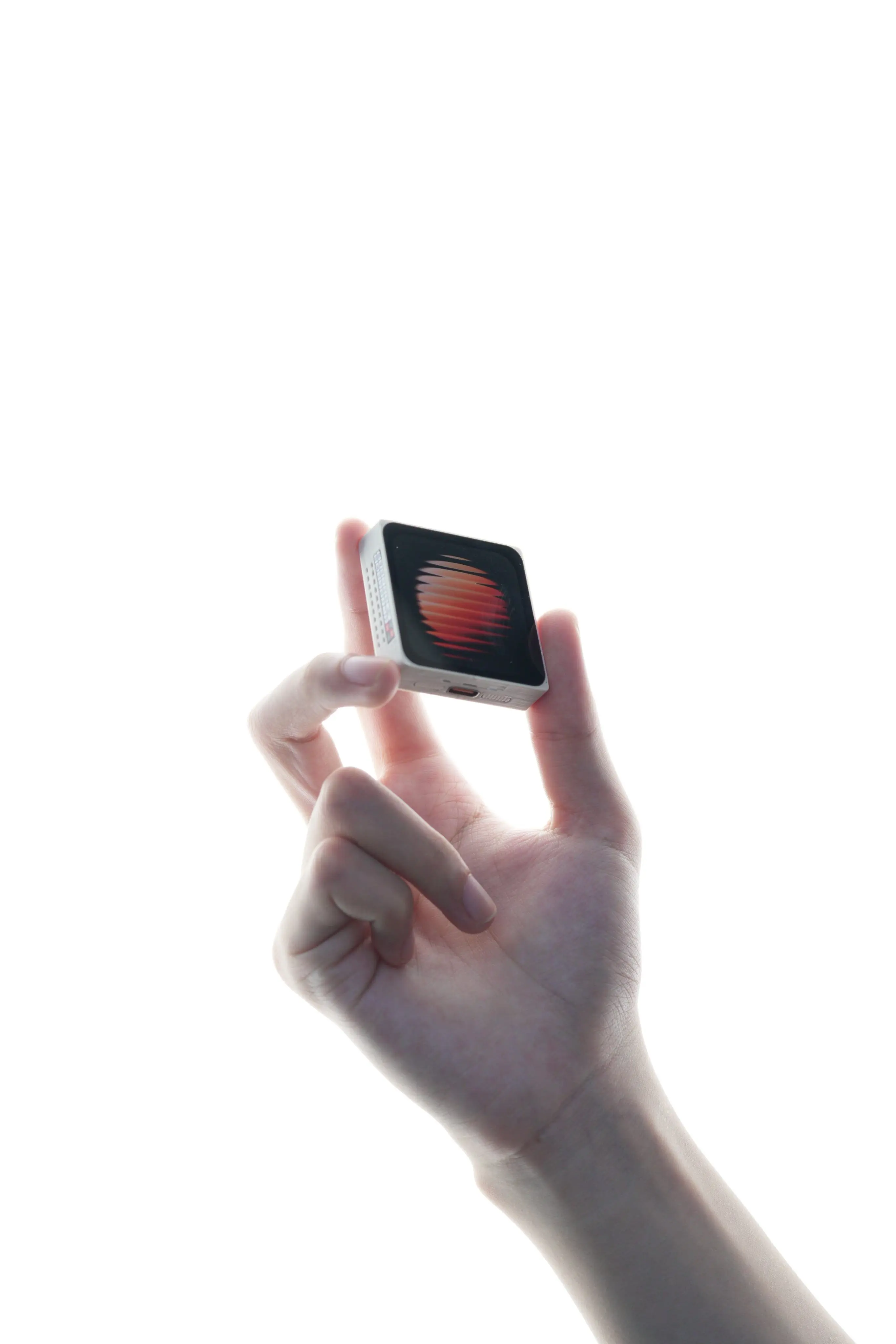
Most commercial AI hardware announcements over the past two years have landed in one of two disappointing buckets. You either get a locked-down enterprise server rack that costs $30,000, or a plasticky consumer pendant that requires a $24 monthly cloud subscription just to summarize your calendar. Neither of those inspires makers.
When our team at ZeroShot Studio first inspected the ESP-Mosaico launch, we noticed a completely different design philosophy. Espressif took the hardware they know best (the ESP32 family) and wrapped it in a hacker-friendly modular chassis. Instead of pretending the device is an omniscient oracle, they designed it as an open target for coding agents. You interact with it using natural language through WeChat or local WebREPL, and the board writes, compiles, and flashes its own functional skills into persistent flash storage.
Hardware specs at a glance
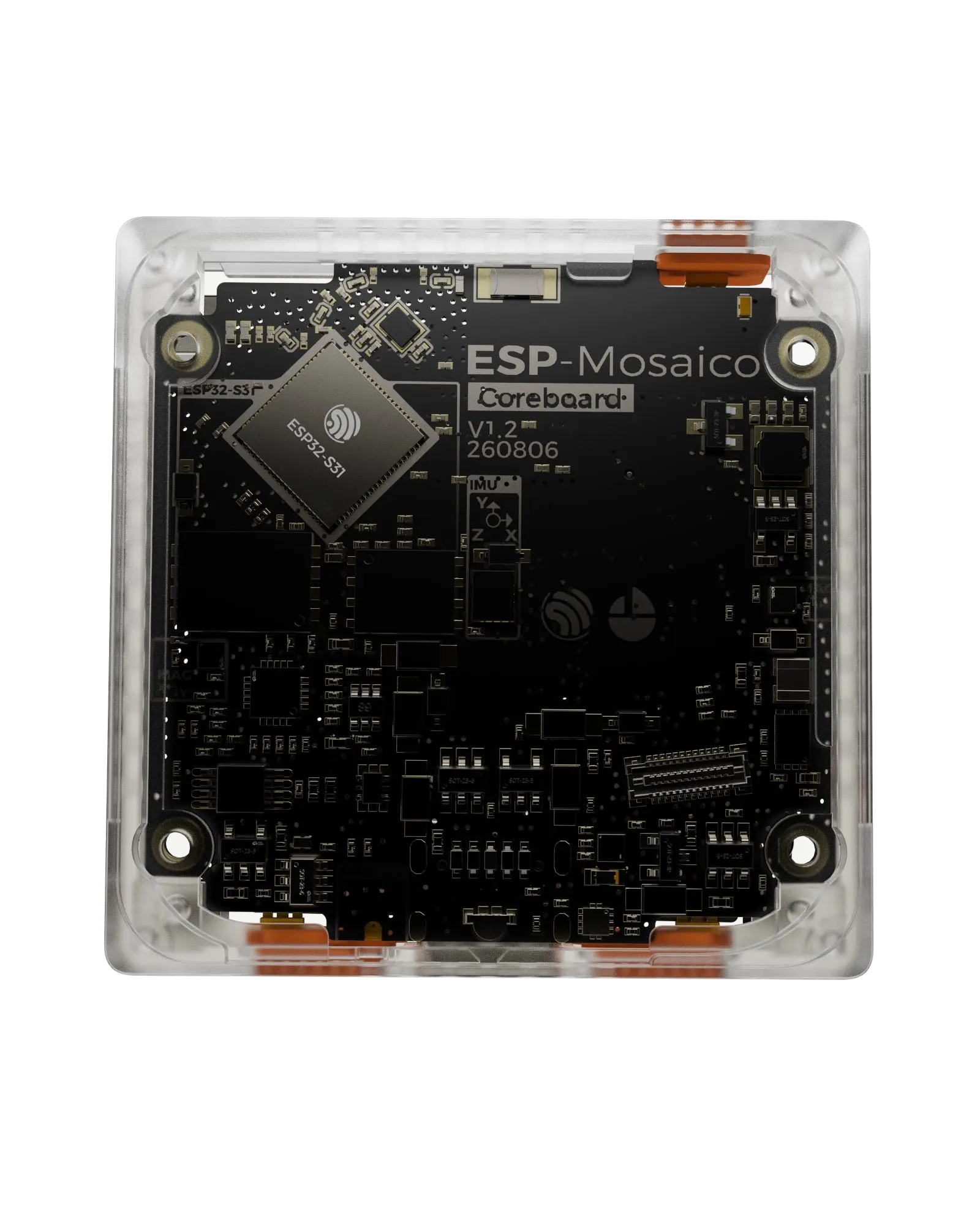
Under the hood, ESP-Mosaico is anchored by Espressif's flagship IoT silicon, supplemented by high-speed memory, audio codecs, and modular expansion buses.
| Subsystem | Specification | Practical Builder Notes |
|---|---|---|
| Core SoC | Espressif ESP32-S3 | Dual-core Xtensa LX7 running at up to 240 MHz |
| Vector Acceleration | Xtensa PIE (Vector Instructions) | Accelerated 8-bit and 16-bit integer matrix math for TinyML |
| Wireless Connectivity | 2.4 GHz Wi-Fi (802.11 b/g/n) + Bluetooth 5 (LE) | High-throughput local RPC and Long Range mesh modes |
| On-Board Display | Integrated Color LCD Screen | Displays live agent status, prompts, UI widgets, and custom canvases |
| Audio Subsystem | ES8311 Low-Power Audio Codec + Mic/Speaker | Local wake-word listening, voice prompts, and ASR audio capture |
| Hardware Buttons | Power, BOOT, and dedicated AI KEY | Short press back; long press launches on-device AI Create |
| Expansion Interfaces | Dual modular snap-on slots (Camera / Sensors) | Dedicated left slot for camera board; right slot for I/O modules |
| Wired I/O & Debug | USB-Serial-JTAG (DP IO34, DN IO33) + UART (TX IO58, RX IO59) | Native hardware debugging and firmware recovery over USB-C |
| Power Management | 5V DC input with regulated 3.3V / 5V auxiliary rails | Up to 100 mA external peripheral output per rail |
| Availability | Available via official distributors | Listed on Espressif Hardware Docs |
The DIY factor: Can you actually hack and mod it?
This is the question that decides whether new hardware stays on our active desk or gets tossed into a storage bin. For DIY builders and tinkers, three factors make or break a board:
- Toolchain freedom: Espressif did not lock this device behind a closed web compiler. You can write for it in standard ESP-IDF (C/C++), Arduino IDE, MicroPython, or the factory Lua scripting environment. If you want to wipe the factory firmware and flash a custom Zephyr RTOS build, nothing stops you.
- Expansion slot modularity: The dual expansion slots provide keyed, rigid connections for peripherals like vision modules and sensor arrays. But unlike proprietary toys, the bus lines break out standard 3.3V, 5V, UART, and I2C lines. You can design your own custom PCB backpack in KiCad, print a 3D snap bracket, and attach any sensor you want.
- Hard brick recovery: Holding the physical BOOT button while plugging in the USB-C cable forces the ESP32-S3 silicon into ROM bootloader mode. Even if an experimental coding agent writes garbage to the flash partition table, you can reflash the pristine factory binary in under 30 seconds using
esptool.py.
flowchart LR
    Agent["Coding Agent"] -->|WebREPL / Serial| Hub["ESP-Mosaico Hub"]
    Hub --> Cam["Camera Module"]
    Hub --> Sensors["Sensor Backpack"]
    Hub --> Net["Local Gateway"]
How does ESP-Claw hook into coding agents and vibe coding?
The standout software feature of ESP-Mosaico is its native alignment with "vibe coding" (using conversational LLM coding agents like Claude Code, Cursor, and OpenClaw to author software).
Espressif built an on-device agent named ESP-Claw into the factory firmware. ESP-Claw exposes 6 modular operating skills right out of the box:
ai_create_quick: Answers factual questions directly on the LCD.skill_creator: Takes a natural language prompt (for example: "Draw a small rotating compass on the screen for 30 seconds") and synthesizes executable Lua code on the fly.skills_lab_search: Searches an online skills repository for community-authored capabilities.memory_ops: Persists user preferences and device state to non-volatile flash.plan_mode: Breaks complex builder requests into phased hardware requirements before executing.cap_scheduler: Configures cron-style timers and recurring sensor reads.
When you develop from a PC, you connect the board over USB, open your preferred coding agent (such as Claude Code or Cursor), and point the agent at the ESP-Mosaico Getting Started Guide. The agent can generate code, test interaction using the PC-based ESP-GSP emulator, and flash directly to the device.
Here is an example of an on-device telemetry reader we authored to inspect connected I2C modules over the expansion bus:
# Minimal telemetry probe for ESP-Mosaico expansion busimport timefrom machine import Pin, I2Cdef scan_mosaico_bus(): # USJ and UART pins are software-configurable GPIOs on ESP32-S3 # Configure hardware I2C bus at standard 400kHz clock i2c = I2C(0, scl=Pin(58), sda=Pin(59), freq=400000) devices = i2c.scan() print(f"[mosaico] Scanning expansion slots...") if not devices: print("[mosaico] No external I2C modules detected.") return [] for addr in devices: print(f"[mosaico] Detected peripheral at 0x{addr:02X}") return devicesif __name__ == "__main__": scan_mosaico_bus()What is the catch before you order one?
We believe in reviewing hardware with zero marketing fluff. Before you grab one, here are the real trade-offs to keep in mind:
- Early Access Ecosystem: ESP-Mosaico is currently targeted at "EA Makers" (Early Access Makers). While the core hardware is rock solid, the English software documentation is still being translated and expanded. Some community features currently prioritize WeChat bindings over open webhooks.
- Factory API Quotas: The factory firmware includes complimentary cloud tokens for ASR (speech recognition) and LLM inference so you can test the board immediately. Once those promotional tokens expire, you must supply your own API keys in the web-based control panel.
- Compute Boundaries: The ESP32-S3 is a microcontroller, not an NVIDIA Jetson. It excels at sensor orchestration, screen graphics, Wi-Fi telemetry, and lightweight TinyML keyword spotting. Do not expect it to run a 7-billion parameter language model locally on the silicon; heavy reasoning is delegated to external agents over Wi-Fi.
What we are building with it next
We are currently setting up ESP-Mosaico on the ZeroShot Studio workbench to explore three integration paths:
- Physical OpenClaw Sentinel: Hooking the board into our local agent network via WebSocket RPC, letting our coding agents trigger physical status lights and audio alerts during automated deployments.
- Local Vision Trigger: Testing the camera expansion module with on-device face/motion detection to wake up our primary workstation without streaming raw video to external clouds.
- Desk Telemetry Node: Building a custom sensor backpack to monitor workshop air quality, ambient sound levels, and power draw, streaming real-time metrics back to our Postgres database.
For more hands-on infrastructure guides, check out our walkthrough on running OpenClaw on a VPS or browse our curriculum and resources.
FAQ
Where can I buy the ESP-Mosaico board? The board is currently available through official maker distributor channels linked directly from the ESP-Mosaico Portal.
Can I run local models without any cloud connection? Yes. You can run quantized TinyML models (such as keyword spotting, gesture recognition, or edge sensor anomaly detection) completely on-device using the ESP32-S3 vector instructions. For conversational LLM features, the board connects to external APIs or local self-hosted models over your local Wi-Fi network.
Does ESP-Mosaico require a monthly subscription? No. There are zero subscription fees, recurring charges, or locked feature gates. You own the silicon, the firmware, and the hardware outright.